Civil & geospatial

AI for civil engineering & geospatial

Turn networks, place, and sensor data into decisions. We give civil, transportation, and geospatial teams governed agents that pull network data, run spatial analysis, and build maps — so the planners and engineers who know the domain don’t need a GIS developer in the loop.

The challenge

The domain experts aren’t the developers.

Transportation and civil work is data-rich and spatially complex, but the planners who understand it rarely write code or query a spatial database. The insight is gated behind tooling.

01

Specialist tooling

GIS, spatial SQL, and network data demand skills most planners don’t have — so work queues behind a few specialists.

02

Fragmented data

Networks, parcels, sensors, and imagery live in different formats and systems that don’t compose easily.

03

Public accountability

Civil work needs a defensible, auditable trail — “trust me” isn’t an answer to a public body.

What we build

Geospatial analysis, run by the domain experts.
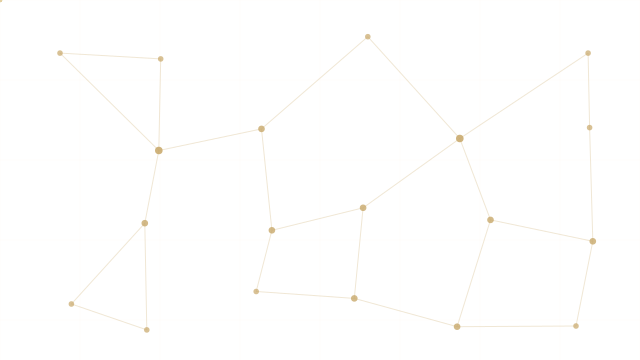
A stylized transport network of gold nodes and roads with points flowing along the routes

Network data

Pull road, rail, and transit networks from OpenStreetMap — on demand, by area.

Transport-access analysis

Assess a site’s connectivity — roads, transit, and amenities within reach — in plain language.

Spatial queries

Overpass QL for “everything within X of a corridor” — proximity and relationships, without writing it by hand.

Flow & demand maps

Kepler.gl heatmaps and 3D layers from your movement and sensor data.

Site assessment

Define the area, collect data layers, analyze the metrics — report and map, out.

Corridor & site planning

Turn constraints and geospatial data into a workable, documented plan.

OpenStreetMapESRI ArcGISMapboxKepler.glPostGISAWS / Azure IoT
A typical workflow

Example: a site access study, end to end

A planner asks in plain language; the agent does the spatial work and shows it.

STEP 01

Scope

The planner defines the parcel and the question — “what’s the transit and road access within 800m?”

STEP 02

Collect

The agent pulls the road and transit network and nearby amenities from OpenStreetMap for the area.

STEP 03

Analyze

It runs the proximity and connectivity queries and computes the access metrics.

STEP 04

Map & report

It returns a layered Kepler.gl map and a written summary — with the data sources and steps on record.

Solution playbook · combined systems

Combine fleet, network, and place into one live picture.

The geospatial example: telematics data, plus the road network, plus our visualization — fused into a working operations tool.

Live fleet operations map

Plug in
GeotabOpenStreetMapKepler.gl
We add

a governed agent that fuses vehicle telematics with the road network and visualizes it

You get

a live operations map — route optimization, geofence alerts, and utilization — read by your planners without a GIS engineer

Site access study

Plug in
OpenStreetMapyour parcelsPostGIS
We add

spatial analysis plus a layered, shareable map

You get

a connectivity and access report in hours, not weeks — with every source on record

Each recipe is built from skills in the skill library →

Outcomes

What changes for your team

Analysis without a GIS dev

Planners and engineers run the spatial work themselves, in plain language.

Faster studies

Site and corridor assessments in hours, not weeks of specialist queueing.

A defensible trail

Every data source and step on record — ready for public scrutiny.

Every workflow here runs governed — connected over MCP, REST, A2A, or a custom worker, with PII stripped, external actions parked for your approval, and a full audit trail. Why that matters →

Get started

Let’s map your next study.

We’ll start with one assessment — a site, a corridor, an access study — run it on real network data, and expand into your planning workflow.